
Boyne Valley Laser Studio12 min read15 sections
xTool O1 Omni Printer: Editions, Workflows and Business Fit
The xTool O1 ships in three factory configurations, not three price tiers. Here's what each edition prints, which workflows it unlocks, and where it fits in a small personalisation business.
On this page15 sections
- 1.What is the xTool O1 Omni Printer?
- 2.The three O1 editions at a glance
- 3.The four workflows explained
- 4.Single UV Edition — accessible and capable
- 5.Dual-Head UV Edition — our recommendation for UV printing businesses
- 6.UV + DT Fabric Edition — for personal and occasional garment printing
- 7.White ink, varnish and special finishes
- 8.Pixel-Scan and jigs
- 9.Rotary and roll-fed workflows
- 10.Materials, ink and maintenance
- 11.How the O1 works alongside an xTool laser
- 12.Which edition fits which business?
- 13.Is the O1 suitable for a small business?
- 14.Frequently asked questions
- 15.Next steps
Short answer: The Single UV is best suited to hobbyists, makers, small offices and occasional personalisation. For businesses investing seriously in UV printing, our recommendation is the Dual-Head UV, particularly because of its additional high-capacity rigid-white and flexible-white ink systems, broader material capabilities and fluorescent inks. The UV + DT Fabric Edition is better suited to hobby garment printing, personal projects and occasional in-house clothing personalisation than dedicated commercial garment production.
The xTool O1 Omni Printer brings full-colour UV printing into an xTool ecosystem that, until now, has been built around laser cutting, engraving and marking. For personalisation studios, sign makers, promotional-product suppliers and existing xTool owners, it opens up product categories that a laser simply cannot produce.
The catch: the O1 ships in three factory configurations — Single UV, Dual-Head UV, and UV + DT Fabric. They are not entry-level, mid-range and premium versions of the same machine. Each one is built around a different production model, and xTool does not describe them as field-upgradeable between configurations.
This guide explains what each edition actually does, which workflows and accessories you need, and where the O1 fits — or doesn't — inside a small or established personalisation business.
What is the xTool O1 Omni Printer?
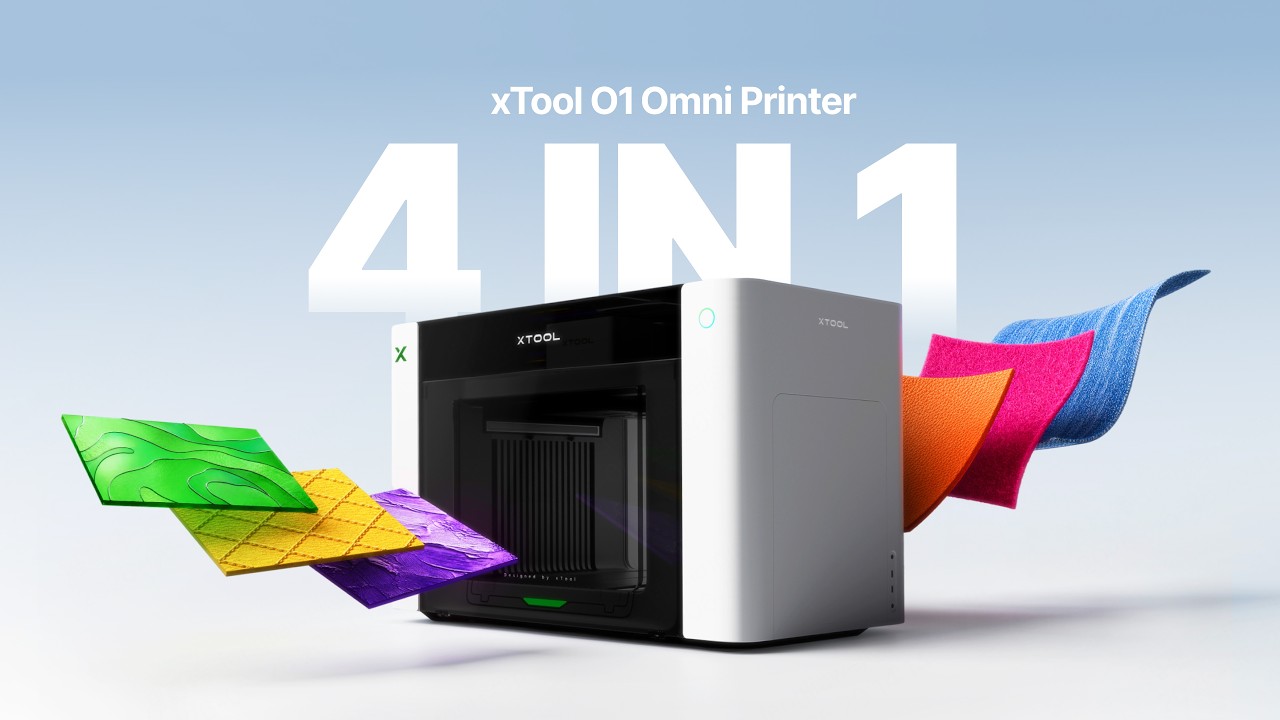
The O1 is a desktop direct-to-object printer that uses UV-curable ink. Instead of removing material like a laser, it deposits ink onto the surface of an object and cures it with ultraviolet light.
Depending on the configuration and accessories chosen, the platform can support four distinct production methods:
- Direct UV printing — full colour, white and varnish printed directly onto the object.
- UV DTF transfers — prints applied via film to hard surfaces.
- Direct-to-garment (DTG) — textile ink printed straight onto cotton and natural-fibre garments.
- Fabric DTF transfers — multi-stage film transfers for a wider range of fabrics.
Not every edition supports all four. Which ones you get is decided at the point of purchase.
The three O1 editions at a glance
- Single UV
- 1 × Epson F1080
- Dual-Head UV
- 2 × Epson F1080
- UV + DT Fabric
- 2 × Epson F1080
- Single UV
- Yes
- Dual-Head UV
- Yes
- UV + DT Fabric
- Yes
- Single UV
- Yes
- Dual-Head UV
- Yes
- UV + DT Fabric
- Yes
- Single UV
- No
- Dual-Head UV
- No
- UV + DT Fabric
- Yes
- Single UV
- No
- Dual-Head UV
- No
- UV + DT Fabric
- Yes
- Single UV
- No
- Dual-Head UV
- Yes
- UV + DT Fabric
- No
- Single UV
- No
- Dual-Head UV
- Yes
- UV + DT Fabric
- No
- Single UV
- Standard white (125 ml)
- Dual-Head UV
- Standard white (125 ml) plus high-capacity rigid white and flexible white (290 ml each)
- UV + DT Fabric
- Standard white (125 ml)
- Single UV
- Hobby, small office and occasional personalisation
- Dual-Head UV
- Businesses investing seriously in UV printing
- UV + DT Fabric
- Personal and occasional garment printing
- Single UV
- 720 × 1,440 dpi
- Dual-Head UV
- 720 × 1,440 dpi
- UV + DT Fabric
- 720 × 1,440 dpi
- Single UV
- ±0.2 mm
- Dual-Head UV
- ±0.2 mm
- UV + DT Fabric
- ±0.2 mm
- Single UV
- 7 mm
- Dual-Head UV
- 7 mm
- UV + DT Fabric
- 7 mm
| Feature | Single UV | Dual-Head UV | UV + DT Fabric |
|---|---|---|---|
| Printheads | 1 × Epson F1080 | 2 × Epson F1080 | 2 × Epson F1080 |
| Direct UV printing | Yes | Yes | Yes |
| UV DTF (with laminator) | Yes | Yes | Yes |
| DTG printing | No | No | Yes |
| Fabric DTF printing | No | No | Yes |
| Flexible-white UV ink | No | Yes | No |
| Fluorescent UV colours | No | Yes | No |
| White ink | Standard white (125 ml) | Standard white (125 ml) plus high-capacity rigid white and flexible white (290 ml each) | Standard white (125 ml) |
| Our recommendation | Hobby, small office and occasional personalisation | Businesses investing seriously in UV printing | Personal and occasional garment printing |
| Max resolution | 720 × 1,440 dpi | 720 × 1,440 dpi | 720 × 1,440 dpi |
| Positioning accuracy | ±0.2 mm | ±0.2 mm | ±0.2 mm |
| Max raised texture | 7 mm | 7 mm | 7 mm |
The main UV printing area is 330 × 420 mm with the large print bed. The UV + DT Fabric edition also includes a separate 300 × 390 mm direct-to-garment platen.
The four workflows explained
Direct UV printing
Ink is deposited directly onto the object. White ink can sit underneath the colour image to keep opacity on transparent, coloured or dark materials, and varnish can add gloss, spot highlights or a raised tactile finish up to 7 mm.
Typical applications:
- Acrylic signs, wooden plaques, metal panels and awards.
- Glass, ceramic and phone cases.
- Promotional products, branded packaging and personalised gifts.
- Display pieces and product prototypes.
This is fundamentally different from laser engraving. A laser changes the material itself. The O1 adds colour and texture on top. For most businesses the two processes are complementary rather than interchangeable.
UV DTF transfers
UV DTF prints the design onto specialist transfer film first. The finished transfer is then applied to the final product. Useful when the object is too large, awkwardly shaped, or when transfers need to be produced in batches for later application — including by a customer or trade buyer.
All three O1 editions can produce UV DTF transfers, but the xTool laminator is required to complete the workflow. UV DTF is for hard surfaces — do not confuse it with fabric DTF, which is for textiles.
Direct-to-garment (DTG)
DTG applies textile ink directly to a garment or fabric item. Available only on the UV + DT Fabric edition, and generally best suited to compatible cotton and natural-fibre garments with the correct pretreatment and curing process.
Fabric DTF
Fabric DTF prints onto film, applies adhesive powder, cures the transfer, and heat-presses it onto the garment. It supports a wider range of fabrics than DTG — including certain synthetic and blended materials — but remains a multi-stage process. The O1 does not remove the need for the appropriate film, powder, curing method and heat press.
Single UV Edition — accessible and capable
The Single UV Edition prints full colour using CMYK, white and varnish through one printhead that manages the required passes. It suits home creators, hobbyists, makers, small offices and businesses that personalise products occasionally.
It can still produce professional-looking, saleable work: acrylic signs, gifts, awards, promotional products and UV DTF transfers. Where it becomes less attractive is substantial, ongoing UV production — one printhead, standard white-ink capacity and no specialist inks (rigid white, flexible white or fluorescent colours) limit how far it can grow with a business.
Dual-Head UV Edition — our recommendation for UV printing businesses
For a business investing seriously in UV printing, this is the edition we recommend. It is the most versatile O1 configuration for dedicated UV work — not simply a faster or dearer Single UV. Alongside CMYK, standard white and varnish, its second UV printhead adds specialist ink channels.
Three white-ink options
- Standard white (125 ml) — the underbase and white layer shared by all three editions.
- High-capacity rigid white (290 ml) — a dense, opaque white for hard goods such as acrylic, wood, metal and coated products.
- High-capacity flexible white (290 ml) — formulated to bend with compatible leather, canvas and other materials that flex in use.
White is usually the ink a UV printing business gets through fastest, because it sits under colour on transparent, dark and coloured materials. The larger 290 ml cartridges mean fewer changes and less interruption on longer runs. The rigid and flexible formulations are not interchangeable: rigid white is for surfaces that stay put, flexible white for surfaces that bend, where a rigid layer is more likely to crack. xTool has published a bend test comparing flexible and rigid white on leather and canvas, and the ink cartridges and their volumes are listed on xTool's O1 UV ink page.
Fluorescent red and fluorescent yellow are also exclusive to this edition. They are a useful creative extra for vivid accents, particularly under suitable UV lighting, but we would not buy the Dual UV for fluorescence alone.
Two printheads can help in some multilayer workflows, but they do not automatically double printing speed. Production time still depends on the artwork, print mode, ink coverage and the layers required.
UV + DT Fabric Edition — for personal and occasional garment printing
The UV + DT Fabric Edition combines direct UV printing with textile printing, supporting direct UV, UV DTF, DTG and fabric DTF. Its second printhead is dedicated to textiles, so it does not have the Dual UV's high-capacity rigid white, flexible white or fluorescent UV inks.
We see it as a good fit for hobbyists, personal garment printing, gifts for family and friends, clubs, and small businesses producing occasional branded uniforms or merchandise.
Regular commercial garment production is a different matter. Look at the whole workflow, not the print time alone:
- DTG: garment preparation, pretreatment, heat pressing, positioning, printing and final curing.
- Fabric DTF: printing to film, adhesive powder, curing and heat-press transfer — each with its own consumables.
Those extra stages make steady garment work labour-intensive, and less competitive than dedicated apparel-printing systems. Selling garments made on it is entirely possible, and small occasional orders can be viable — but we would not recommend it as a primary commercial garment-production machine without first checking throughput and profitability for your own products.
White ink, varnish and special finishes
All three editions do more than flat printing. Depending on materials, print settings and accessories, they can produce gloss and matte effects, spot varnish, raised texture up to approximately 7 mm, lenticular effects and metallic foil finishes. Raised texture, varnish and foil are not Dual UV exclusives.
Foil finishing needs compatible materials and processes, including the LM1 Laminator where applicable — see xTool's support guides for the LM1 and hot stamping foil.
The Dual UV adds fluorescent red and yellow for very bright accents, especially under suitable UV lighting. These are fluorescent inks, not glow-in-the-dark pigments. Its rigid and flexible whites are also Dual UV only; the Single UV and UV + DT use standard white.
Pixel-Scan and jigs
The O1's Pixel-Scan vision system scans the bed and shows the operator where a product is sitting, so artwork can be placed over a visual representation of the object before printing. That helps with:
- One-off personalisation and mixed batches.
- Irregularly shaped products and phone cases.
- Objects with openings or existing features that artwork must align to.
- Products that vary slightly in size between units.
Production jigs still earn their place when the same product runs repeatedly, alignment must be identical across many pieces, or throughput matters. Treat Pixel-Scan and jigs as complementary — vision for flexibility, jigs for repeatability.
Rotary and roll-fed workflows
A separate rotary attachment handles cylindrical items — tumblers, bottles, cups — by turning the object under the printheads. The optional roll-to-roll feeder supports continuous UV DTF film runs of roughly 15 metres and other compatible roll materials of around 12 metres. Useful for repeated decals, gang sheets, product labels, trade supply and batch promotional work.
Whether the roll accessory earns its keep depends on real order volume. If most orders are individual sheets or single objects, it can wait.
At Boyne Valley Laser Studio in Dunshaughlin, we operate the Dual-Head UV Edition with the Versatile bundle, including the OR1 Rotary Attachment, RF1 Roll Feeder and LM1 Laminator. That lets us demonstrate flatbed printing, cylindrical printing on the rotary, continuous roll-fed applications, UV DTF transfer production and compatible foil-finishing workflows. Demonstrations are at the studio by appointment, so you can discuss the complete workflow, not just the printer.
Materials, ink and maintenance
xTool lists a wide range of UV-printable substrates: acrylic, wood, metal, glass, ceramic, leather, plastic, coated products and selected flexible media. Successful UV printing depends on preparing the substrate correctly. Glass, ceramics, metals and some acrylics commonly need a suitable primer, and adhesion, scratch resistance and durability must be tested on the actual material and finish — see xTool's O1 UV printing guide to using primer and improving scratch resistance.
Unlike a home printer, the O1 is designed to stay powered on, so its automatic white-ink circulation and printhead protection routines can run. White pigment settles when it sits still, which is why circulation matters. These features reduce manual intervention; they do not eliminate it.
xTool recommends regular cleaning, including weekly attention to the ink pad, scraper and absorber foam, with ink-pad replacement roughly every three months under normal conditions. Budget for consumables too: inks, moisturising liquid, waste ink cartridges and cleaning parts. The operator must also keep the room within suitable temperature and humidity — the printer monitors conditions, it does not control the room.
How the O1 works alongside an xTool laser
The O1 is not a replacement for a laser cutter or engraver. It cannot cut acrylic or wood, mark stainless steel, cut leather, laser-engrave glass, produce deep relief or remove coatings. Its role is to add colour, white, varnish and texture on top of what a laser produces.
A combined workflow typically looks like:
- Cut the product shape on a laser.
- Print the colour artwork on the O1.
- Add engraved details or coating removal where useful.
- Apply UV DTF graphics to secondary surfaces.
- Assemble the finished piece.
Which edition fits which business?
These are our professional recommendations based on the workflows each edition suits, not restrictions set by xTool.
Choose the Single UV Edition when…
- You are a hobbyist, maker, small office or occasional personaliser.
- Most of the work is rigid products in modest volumes.
- Specialist inks — rigid white, flexible white and fluorescent colours — are not needed.
- Entry cost matters more than room to grow.
Choose the Dual-Head UV Edition when…
- UV printing will be a serious, ongoing part of the business.
- You want the high-capacity rigid and flexible white ink systems.
- Leather, canvas or other flexible products are in the plan.
- Fluorescent accents would be a useful creative extra.
Choose the UV + DT Fabric Edition when…
- Garment printing is for personal projects, gifts, clubs or occasional branded uniforms and merchandise.
- You want one machine covering hard goods and some textiles.
- You accept the pretreatment, curing and heat-press stages, and will check throughput and profit before selling garments regularly.
Is the O1 suitable for a small business?
Potentially, yes. Its commercial value lies in the number of short-run and personalised products a single machine can produce without investing in several unrelated printing systems — full-colour gifts, acrylic signs, branded products, awards, packaging, drinkware, UV DTF transfers, phone cases, leather goods, and (on the UV + DT edition) apparel.
The right questions are not just "can it print this?" They are: is the product profitable, how long does it take, what preparation is required, how much ink does it consume, and how durable is the finished print? Those answers only appear once you have run real jobs on your real substrates.
Frequently asked questions
Can every xTool O1 print clothing?
No. Only the UV + DT Fabric Edition supports DTG and fabric DTF printing.
Can every O1 produce UV DTF transfers?
Yes, according to xTool's current product information. The xTool laminator is required to complete the UV DTF workflow.
Can the Single UV Edition be upgraded to Dual UV later?
No. The editions are factory-configured and are not described by xTool as field-upgradeable between configurations. Choose the edition that fits the product range you plan to sell.
Does the UV + DT Edition include flexible-white UV ink?
No. Its second printhead is assigned to textile printing. Flexible-white and fluorescent UV inks are features of the Dual-Head UV Edition.
What is the difference between standard, rigid and flexible white?
Standard white (125 ml) is on every edition. The Dual-Head UV adds high-capacity rigid white (290 ml) for opaque underbases on hard goods and high-capacity flexible white (290 ml) for compatible materials that bend. They are separate formulations, not interchangeable.
Is the UV + DT Fabric Edition suitable for commercial garment production?
For occasional small orders, it can be. For regular commercial garment work we would not recommend it as the main machine: pretreatment, curing, heat pressing and positioning add a lot of labour, and dedicated apparel systems are more competitive. Check throughput and profitability first.
Next steps
Our overall recommendation: the Single UV for hobby and occasional use, the Dual-Head UV for serious UV printing businesses, and the UV + DT Fabric for personal and occasional garment printing. If the O1 looks like a fit, the most valuable next step is comparing complete operating packages — machine, laminator, roll feeder, rotary, ink sets and consumables — not the advertised machine-only entry price.
Ready to look at pricing and packages? Check current xTool O1 Omni Printer options and bundles — or get in touch with the studio for a workflow consultation.
Keep going
xTool machine
xTool F2 Ultra UV
Low-heat-input UV marking for plastics, glass, leather, and heat-sensitive substrates that would scorch or warp under fibre or CO₂..
Read more about xTool F2 Ultra UVService
xTool consultation
Objective pre-purchase advice from a studio that runs the machines daily.
Read more about xTool consultationJournal
xTool F2 Ultra UV vs F2 Ultra Dual: which one for your work?
Both are flagship galvos, but they're built for almost opposite jobs. Here's how to decide which xTool F2 Ultra you actually need.
Read more about xTool F2 Ultra UV vs F2 Ultra Dual: which one for your work?Get the next xTool guide in your inbox
xTool tips, new services, live event dates and project inspiration — once a month, no spam.